> ## Documentation Index
> Fetch the complete documentation index at: https://dripart-claude-comfy-concurrency-limits-page-s84u33.mintlify.site/llms.txt
> Use this file to discover all available pages before exploring further.
# Other Ways to Create a Comfy API Build
> Create a Comfy API Build from a Comfy Desktop snapshot or saved workflow JSON.
Already have a Desktop snapshot or workflow? Use the matching path below to start a Build, then review its contents before you release it.
## Comfy Desktop snapshot
Use a snapshot to carry a Desktop instance's ComfyUI version, custom nodes, and Python packages into a Build.
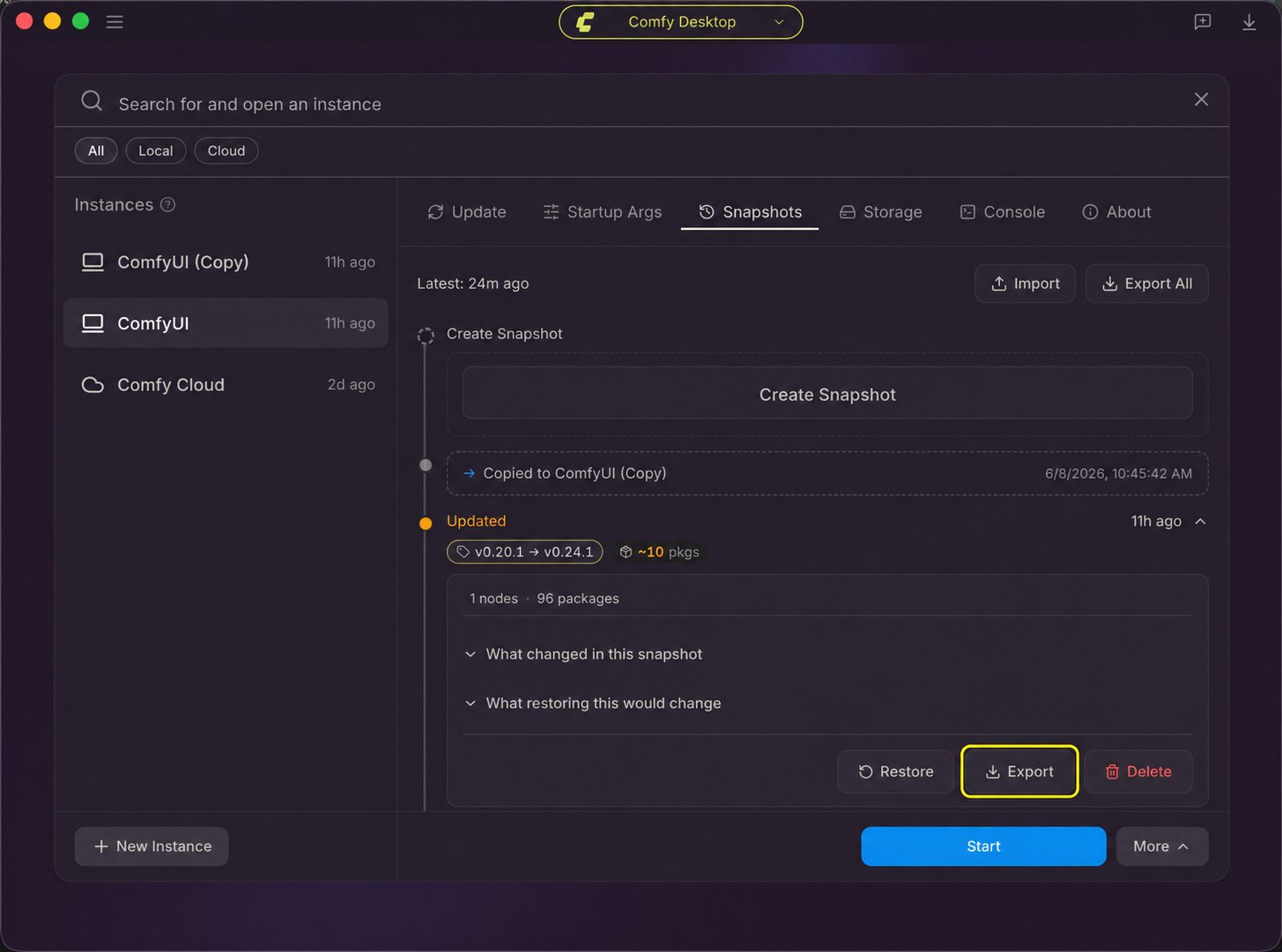
1. In Comfy Desktop, open the instance's **Manage** panel and select **Snapshots**. Choose the snapshot for the environment you want to build and click its **Export** button. If the current state is not listed, create a manual snapshot first. See [Desktop snapshot steps](/installation/desktop/usage/snapshots#snapshots-tab-overview).
2. Open the [Comfy API Build Wizard](https://platform.comfy.org/?onboarding=comfyapi) and import the snapshot file.
3. Review the Build contents and add or correct any missing models or dependencies before creating a release.
 ## Workflow JSON
Use a saved workflow file to configure a Build in the Build Wizard:
1. Open the [Comfy API Build Wizard](https://platform.comfy.org/?onboarding=comfyapi).
2. Drag the workflow JSON into the import step.
3. Review the Build contents and add or correct any missing models or dependencies before creating a release.
## Workflow JSON
Use a saved workflow file to configure a Build in the Build Wizard:
1. Open the [Comfy API Build Wizard](https://platform.comfy.org/?onboarding=comfyapi).
2. Drag the workflow JSON into the import step.
3. Review the Build contents and add or correct any missing models or dependencies before creating a release.
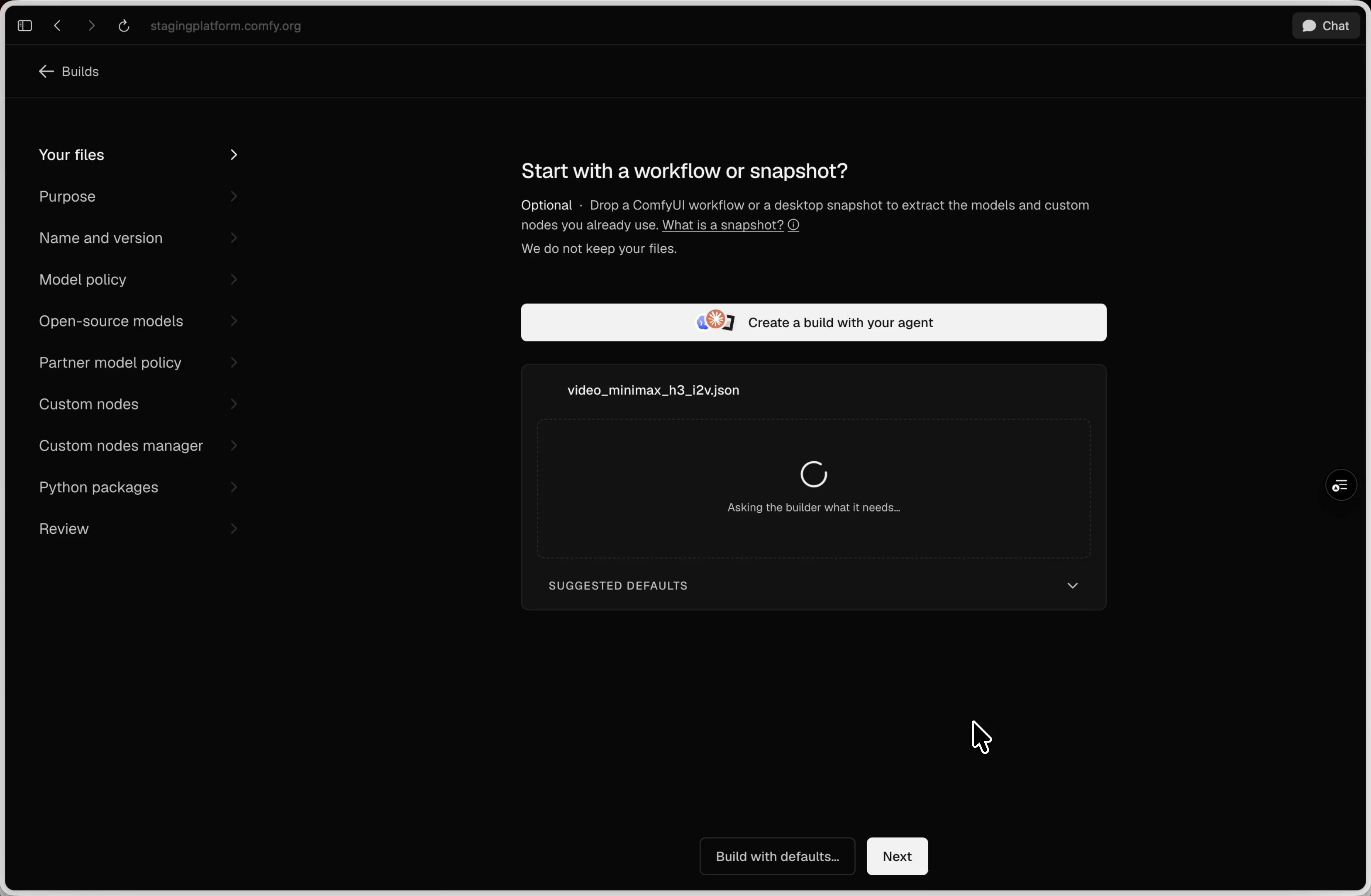 The wizard inspects the workflow and suggests Build settings before you continue.
## Next steps
Create a release, deploy it, and run a workflow with an agent or the CLI.
Manage Build files, updates, releases, scaling, billing, and troubleshooting.
This documentation is built and hosted on [Mintlify](https://mintlify.com), a developer documentation platform.
The wizard inspects the workflow and suggests Build settings before you continue.
## Next steps
Create a release, deploy it, and run a workflow with an agent or the CLI.
Manage Build files, updates, releases, scaling, billing, and troubleshooting.
This documentation is built and hosted on [Mintlify](https://mintlify.com), a developer documentation platform.